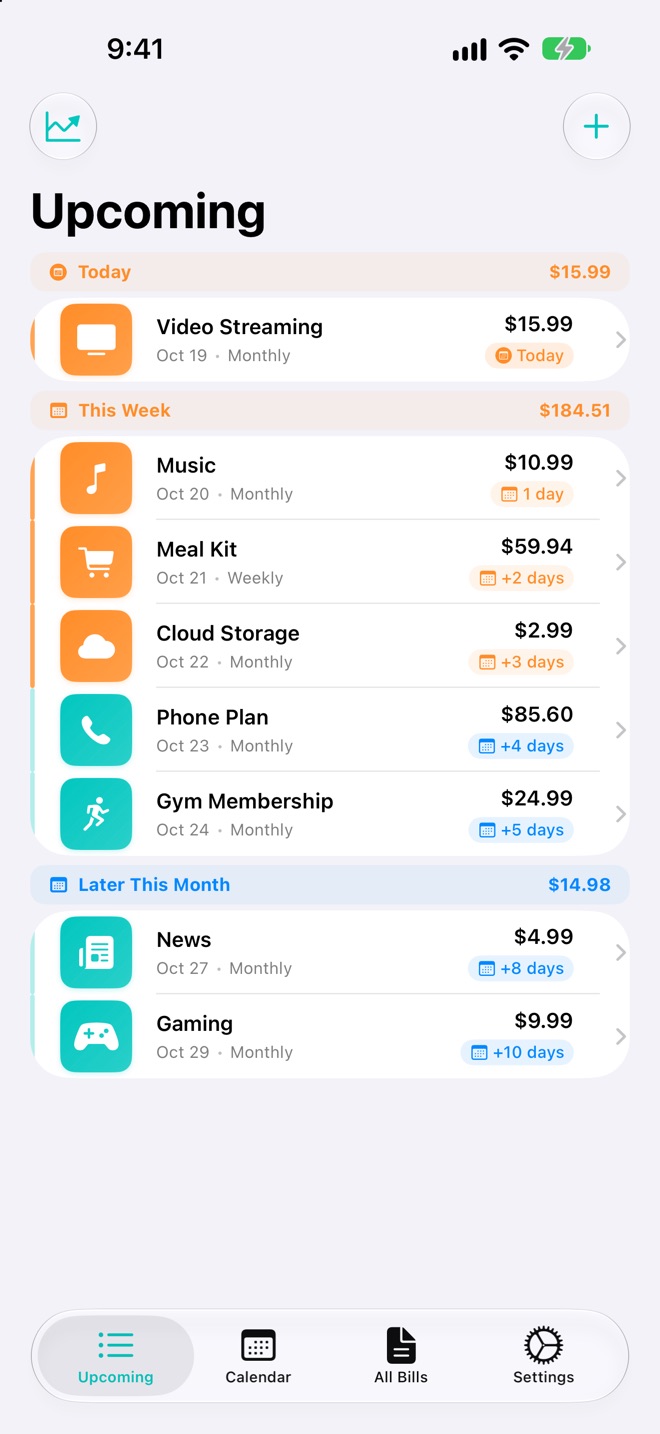
Know what’s due next.
A bill tracker for iPhone that never asks for your bank login.

 Or scan with
your iPhone camera.
- Data Not Collected
- No bank login
- No subscription
Stays at the top while you use other apps.
Try it. Tap Mark Paid.
Mark a bill paid without opening the app.
Your reminder becomes a Live Activity on the Lock Screen and in the Dynamic Island. Mark Paid or Skip, right there.
- Mark Paid
- Logs the payment and clears the reminder.
- Skip
- Passes on this date and keeps the next one.
- Dynamic Island
- The same bill, up top, while you use other apps.
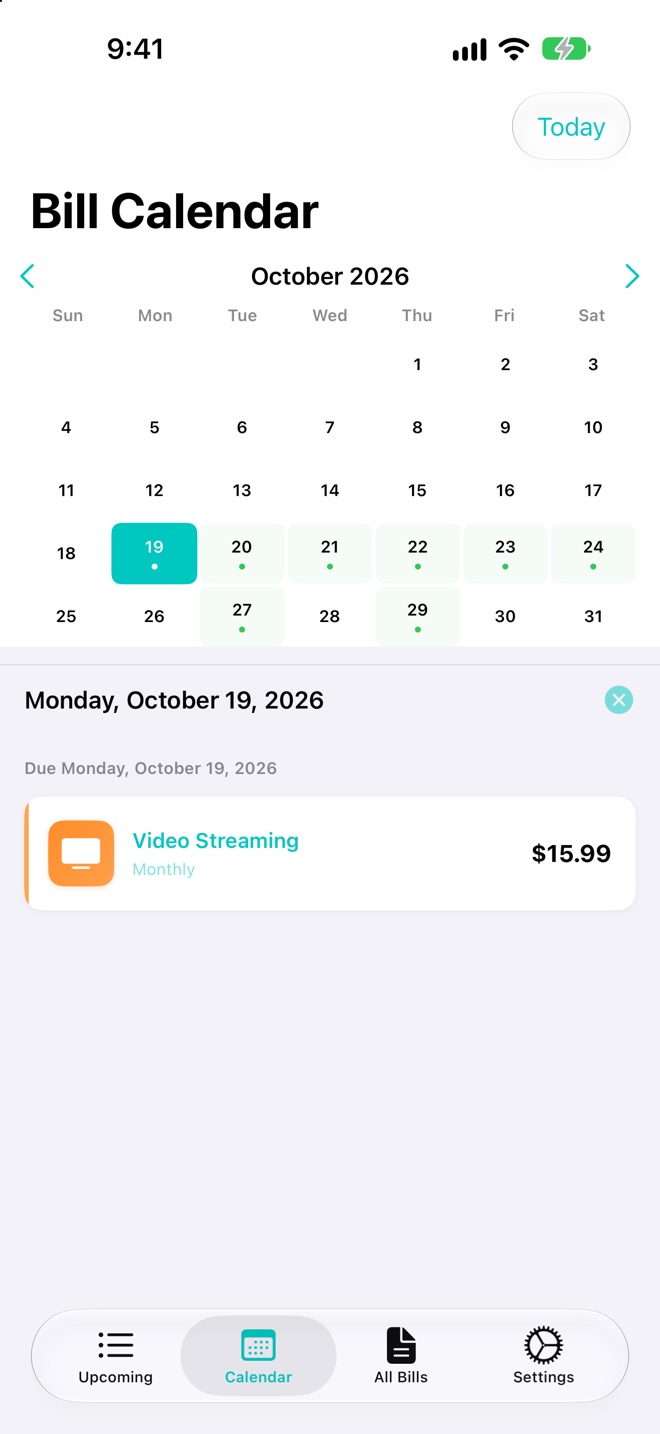
Every due date, one calendar.
Dots mark the days money goes out. Tap a day to see the bill behind it.
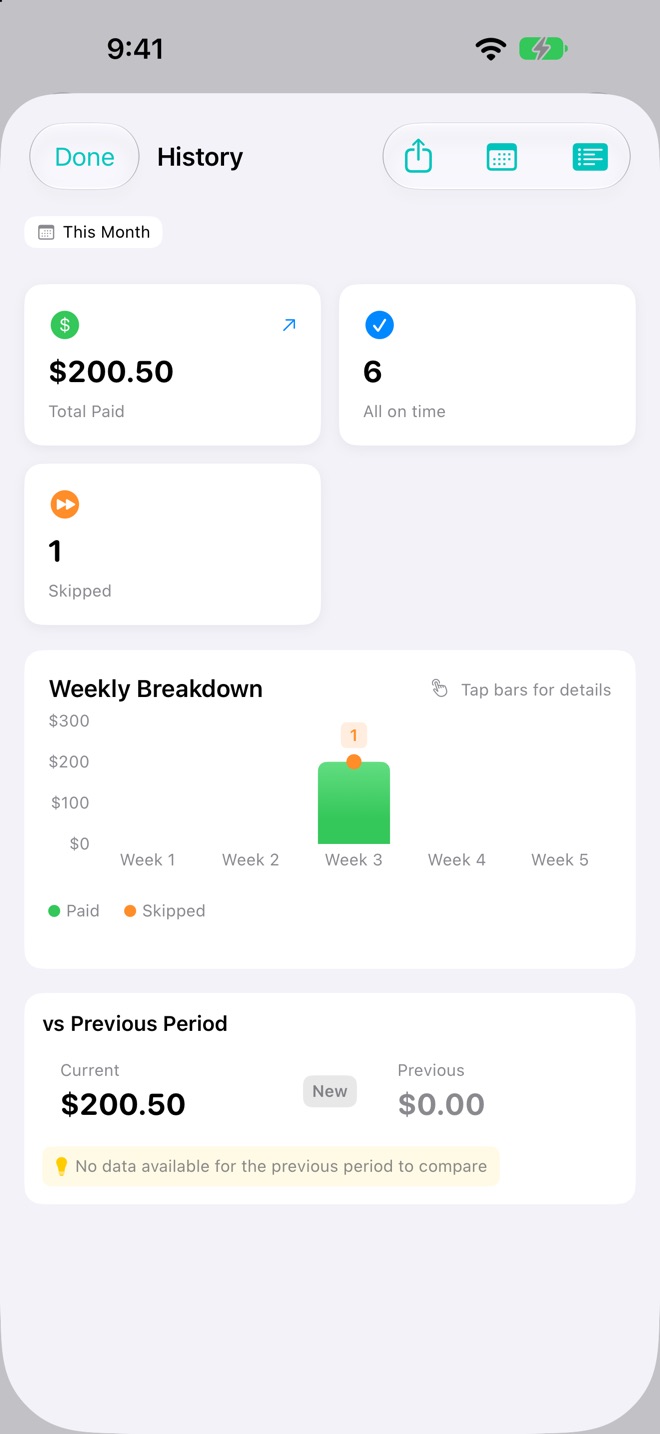
See what you paid, and when.
Totals, on-time counts and a weekly breakdown. This month is free. Premium keeps every month.
The fine print, in big print.
Free to use. Premium is one purchase.
No subscription, no trial that runs out.
Free
- Recurring and one-time bills
- One reminder per bill
- Mark Paid and Skip from the Lock Screen
- Bill calendar
- This month’s payment history
- iCloud sync
- Face ID or Touch ID lock
Premium one-time purchase
Free sends one reminder per bill. Premium adds:
- Backup reminders for each bill
- Full payment history, every month
- CSV import and export
- Home Screen widgets
- Color themes
Buy it inside the app, whenever you like. The price is shown there before you pay.
Questions
Do I have to connect my bank?
No. You add each bill yourself: a name, an amount and a due date. Tavbi never asks for a bank login and never moves money.
Is there a subscription?
No. Tavbi is free to use. Premium is a single in-app purchase that you make once.
Do my bills sync?
Yes, through your own iCloud account, on the free plan too.
Is this BillRadar?
Yes. Tavbi is the new name for BillRadar. It is the same app from the same developer, and your bills stay where they are. The App Store may still show the old name until the update arrives.
Never be surprised by a bill again.
Or scan withyour iPhone camera.